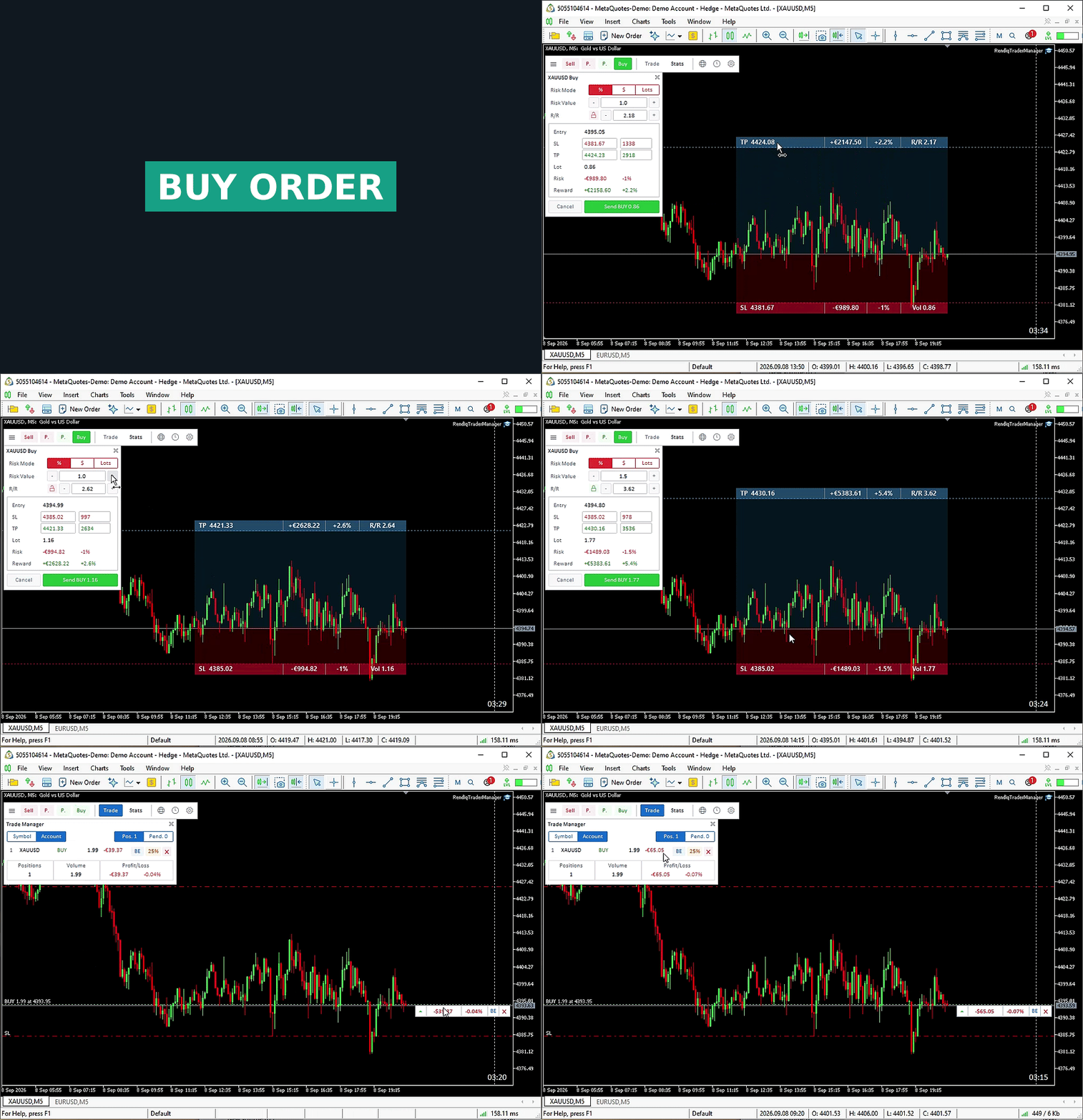
Define the risk.
Size from a percentage of Balance or Free Margin, a cash amount or fixed lots. Review the broker-normalized volume and estimated loss at SL.
Order planning ↗
Plan the risk. Place the order. Manage the position. One connected workspace on your MT5 chart, with the trading decisions in your hands.
 Play order-planning demonstrationClose demonstration
Close this demonstration to return to the still image. No order is sent from this website.
Actual MT5 desktop interface. Open the demo to view the order-planning workflow.
Understand the controls and the scope of each action before using them.
Size from a percentage of Balance or Free Margin, a cash amount or fixed lots. Review the broker-normalized volume and estimated loss at SL.
Order planning ↗Prepare market orders or four pending-order types. Adjust visual levels; R/R Lock recalculates TP and Entry Lock moves a pending setup together.
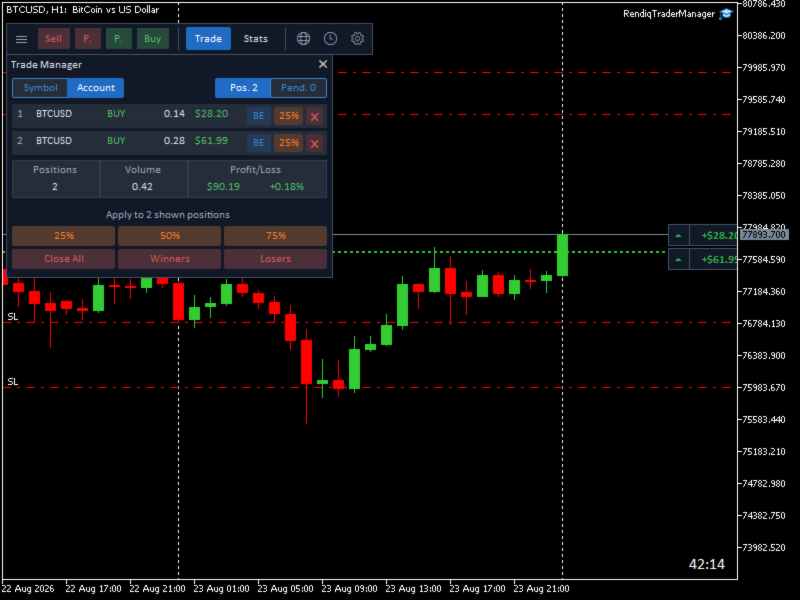
Understand the locks ↗Use row controls for one position or bulk controls for every displayed position. Switch between the chart symbol and the entire account.
Position management ↗Inspect the panels up close, or open the full screenshots for chart context.
Order controls, account information and market context in the same trading workspace.
Percentage, cash or fixed-lot sizing. Market and pending orders. Visual price levels with estimated risk and reward.
Understand risk-based sizingCheck account-wide SL risk, order counts and configured drawdown before sending new orders through the panel.
Checks can block panel orders, but cannot intercept orders sent elsewhere.
Read the protection modelReview balance, net P/L, win rate, profit factor and trading-history statistics without leaving the chart.
Profit-target progress is informational; reaching the target does not stop trading.
Filter economic events by currency and impact. Show news markers and four trading sessions on your chart.
Sessions: H1 or lower. News: approved WebRequest host.
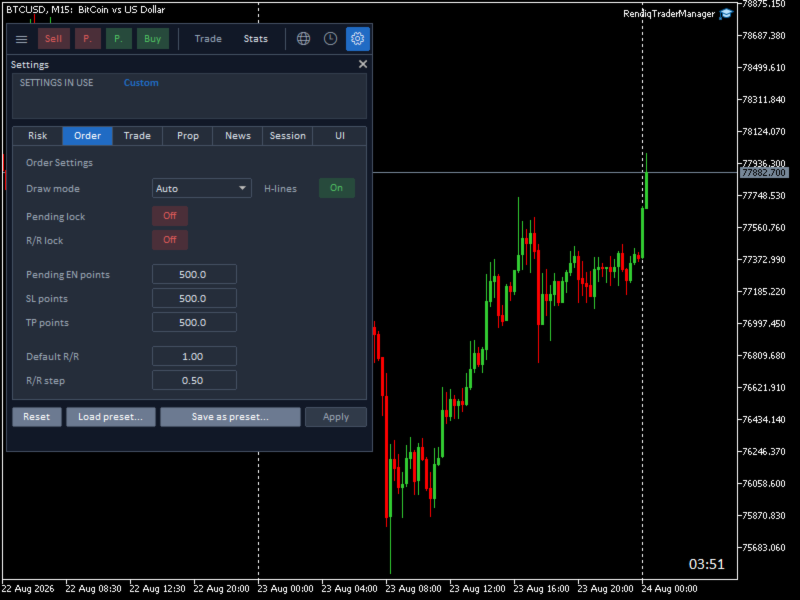
Explore market toolsChoose light or dark, horizontal or vertical. Save reusable presets for your preferred chart setup.
Load fills the form. Apply activates the settings on this chart.
Understand settings & presetsRendiq Trade Manager is a manual trading and risk-management assistant for MetaTrader 5 desktop. It helps plan orders, calculate position size and manage positions. You choose the setup and confirm the order.
It does not generate trading signals or choose a strategy. Order execution and position-management actions follow the controls you use.
Bulk actions affect every position displayed in the current Symbol or Account view, rather than only a highlighted row. Account view includes other symbols, manual positions and positions from other EAs; it does not filter by Magic number.
The breakeven control moves Stop Loss to the entry price. It does not add a commission or spread offset, so realized net profit can still be negative.
The current model uses a static starting funded balance for maximum drawdown and the broker-server day for daily drawdown. It blocks new exposure submitted through Trade Manager when configured checks fail. It cannot intercept orders submitted manually or by another EA, and does not automatically model trailing drawdown or every firm’s rules.
Purchase and rental options, licensing, downloads and current release notes are on the official MQL5 Market listing. Rendiq provides product information and documentation here.
Find current purchase and rental options, licensing and downloads on MQL5.
Trade Manager does not provide trading signals or guarantee results. Risk estimates depend on available account and symbol data; spread, slippage, commissions and broker execution can change actual outcomes.