See the risk
before you commit.
Percentage, cash or fixed-lot sizing. Market and pending orders. Visual price levels with estimated risk and reward.
Understand risk-based sizing Get RendIQ
 Plan your risk. Place your trade. Manage what comes next. All from one focused workspace on your MT5 chart.
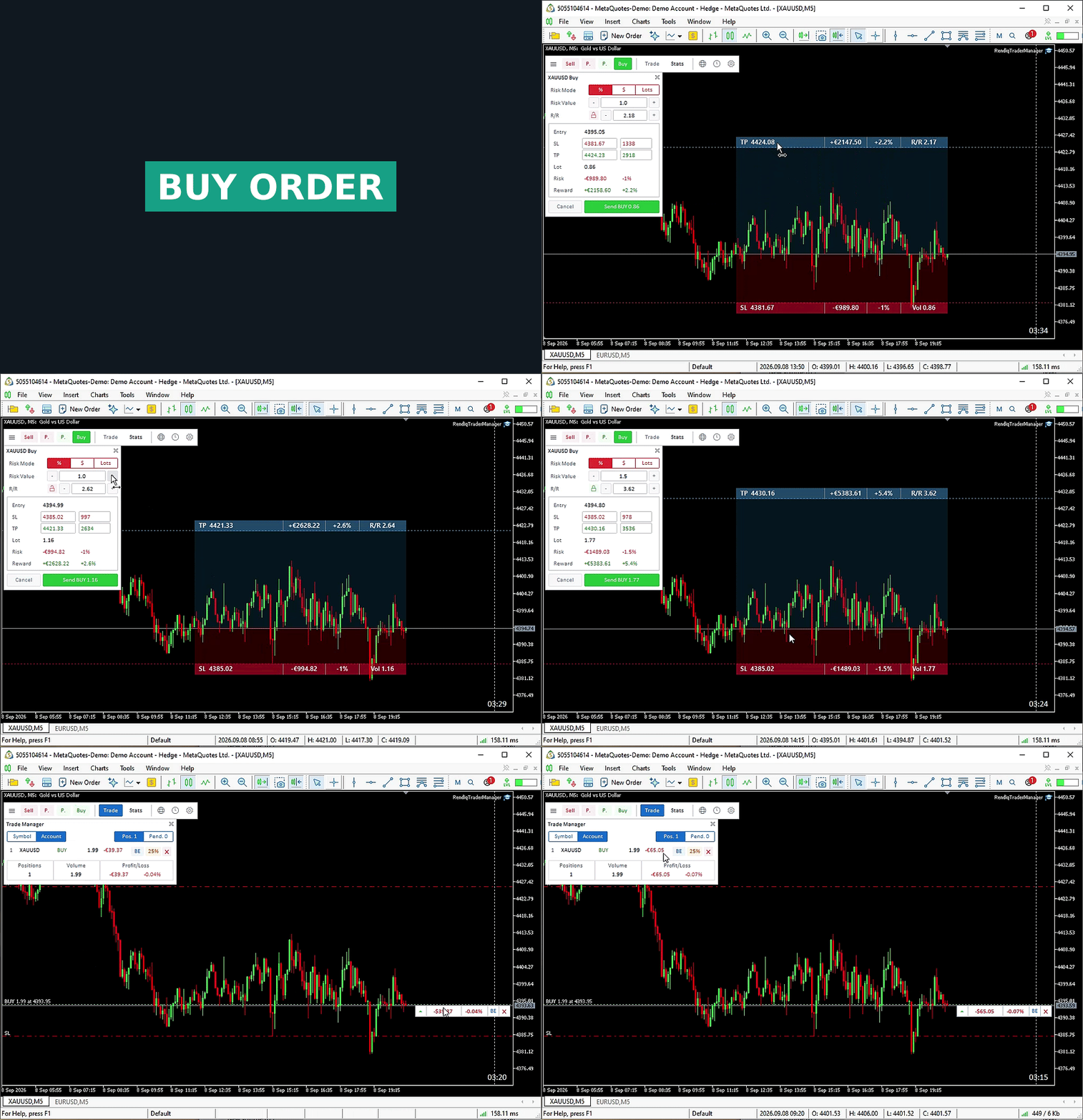
Keep the plan and the controls where you need them: right beside your chart.
Choose a risk percentage or cash amount. Set your Stop Loss and review the calculated volume before you send the order.
Adjust Entry, SL and TP visually. Use R/R Lock to preserve your chosen ratio, or Entry Lock to move pending-order levels together.
Move to breakeven, close part of a position, or apply bulk actions to the positions in your current view.
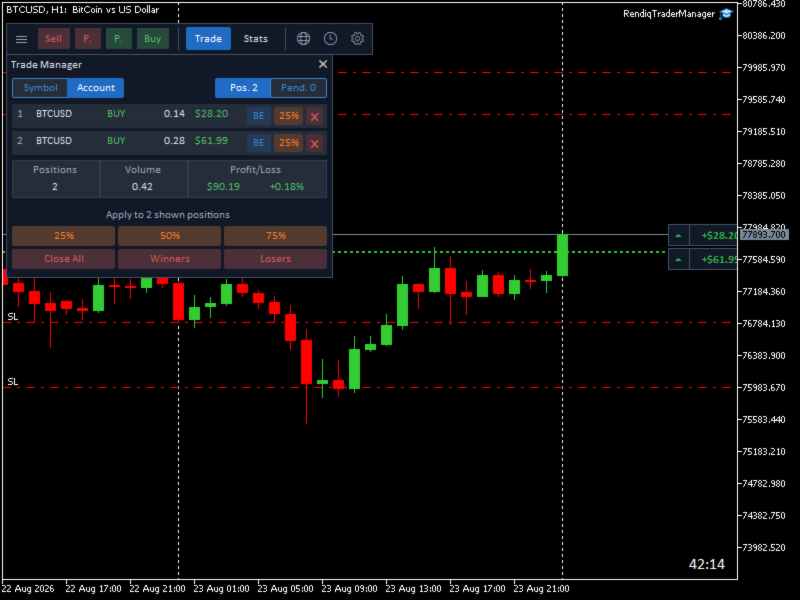
Order controls, account information and market context in the same trading workspace.
Percentage, cash or fixed-lot sizing. Market and pending orders. Visual price levels with estimated risk and reward.
Understand risk-based sizingMonitor daily and maximum drawdown, total SL risk and position limits. Block panel orders that breach your configuration.
Match settings to your prop firm’s rules.
Review balance, net P/L, win rate, profit factor and trading-history statistics without leaving the chart.
Filter economic events by currency and impact. Display upcoming news markers and Sydney, Tokyo, London and New York sessions on the chart.
Light or dark. Horizontal or vertical. Save configurations as presets and bring your preferred settings to the next chart.
Connect your account base, Stop Loss and position size.
Read guide 02POSITION MANAGEMENTReduce selected positions and understand the action scope.
Read guide 03VISUAL ORDER PLANNINGUnderstand R/R Lock and Entry Lock before placing an order.
Read guideYou choose the setup and confirm the order. RendIQ assists with risk calculation, execution and position management; it does not generate signals or choose a trading strategy.
RendIQ Trade Manager is built for the MetaTrader 5 desktop terminal. The product listed here is the MT5 version.
Choose a percentage of Balance or Free Margin, a fixed amount in your account currency, or a fixed lot size. With risk-based sizing, the panel calculates volume using your Stop Loss and the available symbol and account data.
It monitors configured drawdown, combined Stop Loss risk and position/order limits, and can block new orders submitted through the panel. Match its settings to your firm’s actual rules. It does not guarantee compliance or a successful evaluation.
Purchase or rent through the official MQL5 Market listing. For product support, use the product comments or MQL5 messaging. Our getting-started guide explains the purchase and installation steps.
Explore purchase and rental options on the official MQL5 listing.