
Risk, stop distance and trade volume
With risk-based sizing, you start by defining an estimated loss budget. Position size is then calculated from that budget and the loss associated with your chosen entry and Stop Loss levels.
For example, using a $10,000 balance and a 1% setting gives a $100 estimated risk budget. This is a sizing example, not a recommendation for a particular risk level. The resulting lot size depends on the instrument’s specifications, the stop distance and your account currency.
Capital base × risk percentage = estimated risk budget. A wider stop generally calls for a smaller position to keep the same budget. Broker volume limits and lot steps can affect the final calculated volume.
A currency pair, a metal and an index may have different contract sizes and value-per-point calculations. Do not assume a lot has the same monetary exposure across instruments.
Choose your capital base
RendIQ offers Balance and Free Margin as bases for percentage calculations. Balance reflects the account balance; Free Margin reflects the margin currently available in the account. The same percentage can therefore produce a different cash budget depending on which base you select.
You can also choose Money mode for a fixed amount in the account currency, or Lots mode for a fixed volume. Fixed-lot mode uses the volume you enter rather than working backward from a risk budget.
Size the trade in RendIQ
- In Settings → Risk, select Percent and the capital base you intend to use. Apply your settings.
- Open the Buy or Sell dialog and enter the risk percentage for the planned trade.
- Place the Stop Loss at the level defined by your trading plan. Review the volume calculated by the panel.
- Set or adjust Take Profit. Inspect the visual loss and reward zones, prices and monetary estimates together.
- Review the setup again before confirming the order.
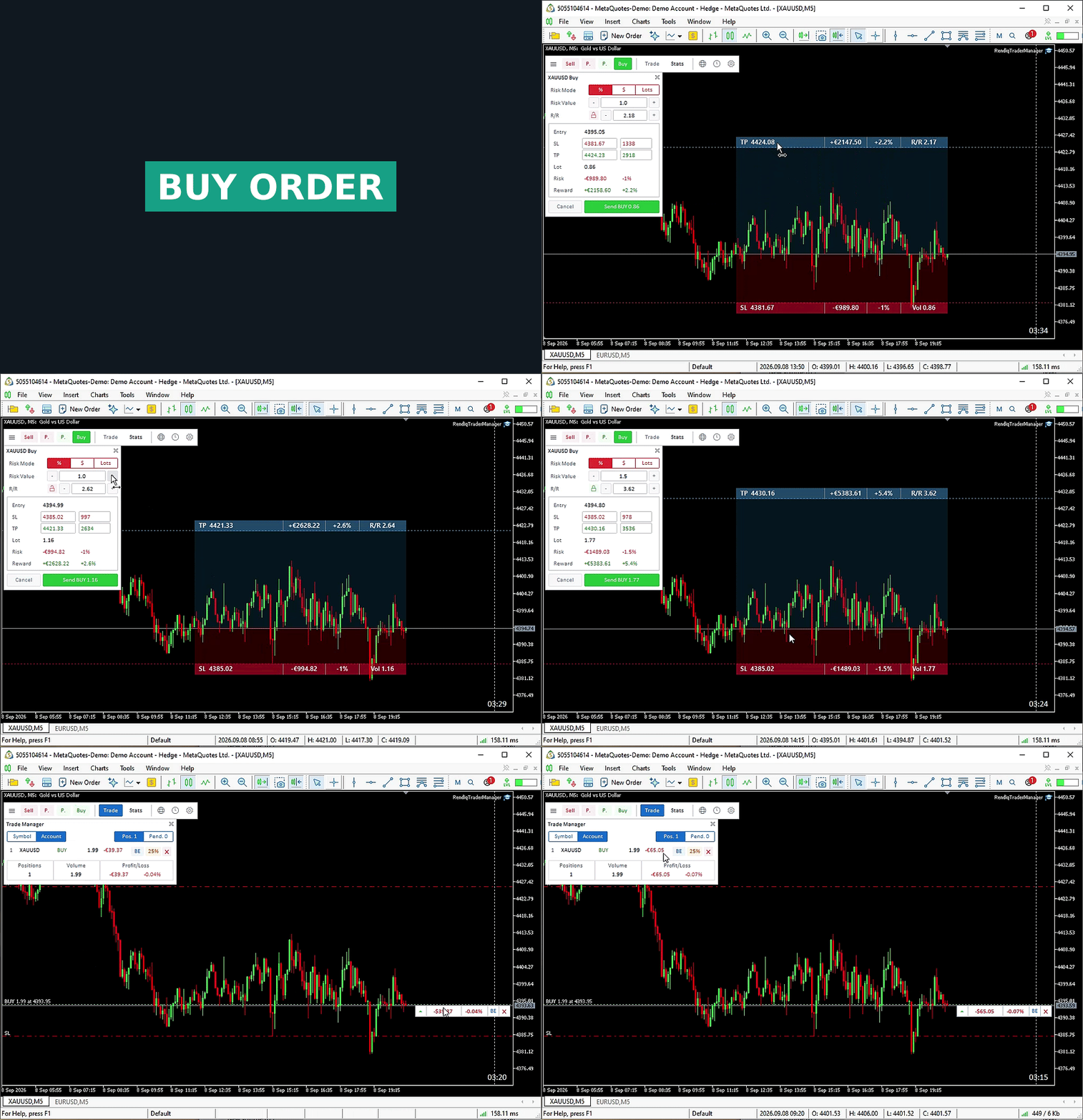
Review before execution
Confirm the symbol, order direction, capital base, risk value and stop placement. A displayed estimate is not a guaranteed maximum loss: spread, slippage, commissions, gaps and broker execution conditions can change the outcome.
Test the workflow on a demo account first, especially when moving to a new symbol or broker. For keeping your reward ratio linked while adjusting a setup, see the R/R Lock guide.